Apple Developer News
-
Age rating questionnaire now includes social media questions
As announced in June, new Time Allowances in iOS 27, iPadOS 27, and macOS 27, or later, give parents more flexible ways to manage the time their kids spend in apps across categories, including Entertainment, Games, and Social Media.
To support this, the age rating questionnaire in App Store Connect now includes questions about your app’s social media capabilities. A social media capability is defined as the ability to redistribute, amplify, or interact with user-generated content through a social feed or similar discovery method. The Time Allowance category for Social Media is based on whether your app or game offers social media capabilities, regardless of the app category selected in App Store Connect. Apps with these capabilities will display a new Social Media content descriptor on their App Store product page. If you indicate that your app or game includes social media capabilities but they are disabled for anyone under 13, it won’t be included in the Time Allowance category for Social Media for users under 13. For more details, refer to Introducing Time Allowances.
You can review and answer these questions starting today. As previously shared, beginning in September 2026, responses will be required when submitting new apps or updates to the App Store, or when submitting apps for notarization for alternative distribution.
-
Hello Developer: July 2026
In this edition:
- Try an all-new search tool on the Apple Developer website.
- Download design kits for Figma and Sketch.
- Explore the biggest updates from WWDC26 in new activities around the world and online.
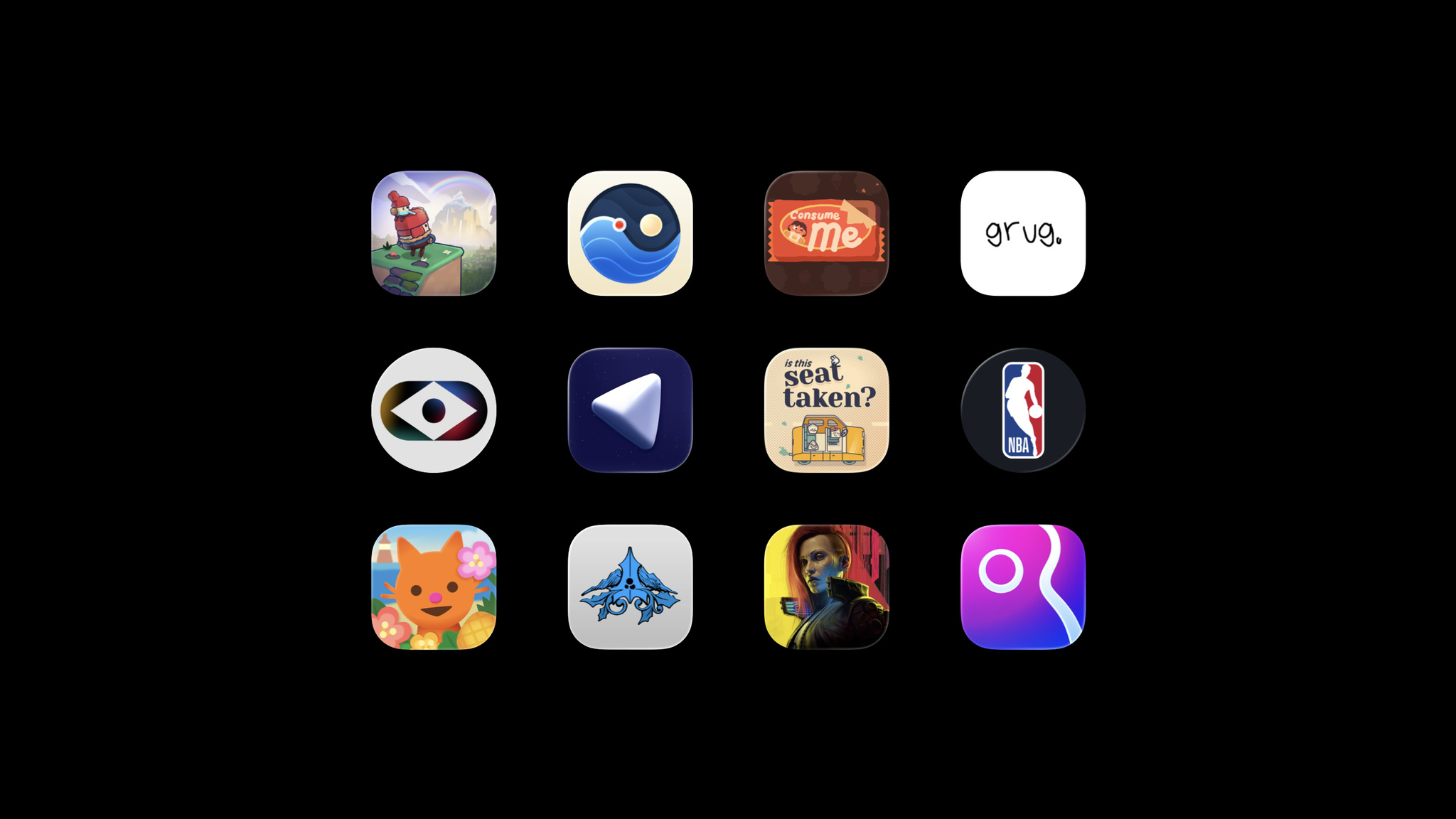
- Read about Apple Design Award winners grug and Cyberpunk 2077.
- Browse the latest updates to the 27 platform releases, documentation, sample code, and release notes.
-
Design kits for iOS, iPadOS, and macOS 27 are here
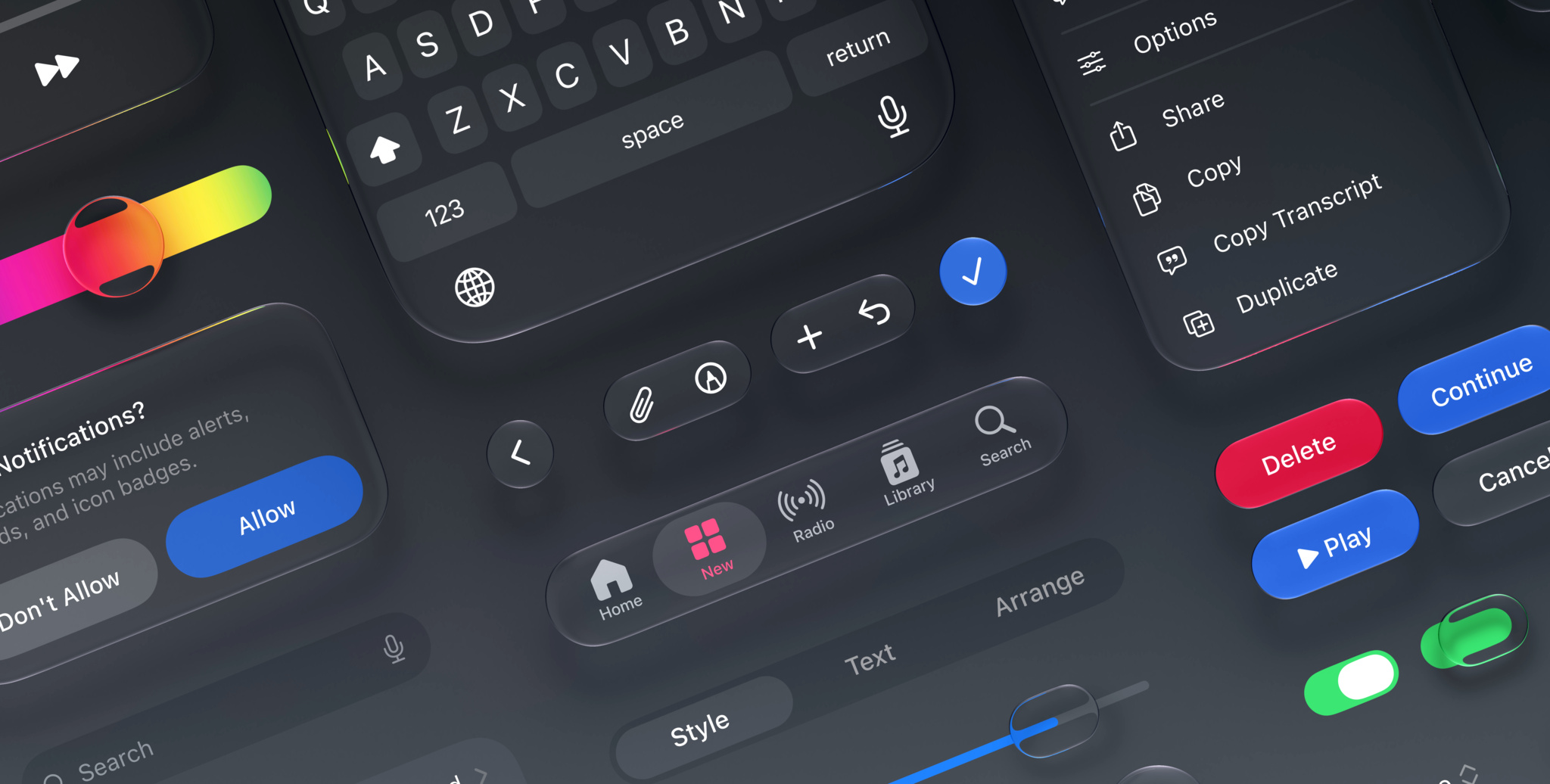
Apple design kits for Figma and Sketch are now available for iOS, iPadOS, and macOS 27. These include:
- Updates to Liquid Glass
- Expanded component and state support
- Naming changes to better align with code
- Improved resizing
- The addition of Dark Mode for macOS
-
Updated Apple Developer Program License Agreement now available
Attachment 12 of the Apple Developer Program License Agreement has been revised to specify terms for iOS apps in Brazil, including alternative distribution, alternative payments and out-of-app offers, and the Core Technology Commission. Please review the changes and sign in to your account to accept the updated terms.
Translations of the updated agreement will be available on the Apple Developer website within one month.
-
Changes to iOS in Brazil
As part of a recent agreement with Brazil’s competition regulator CADE (Conselho Administrativo de Defesa Econômica), Apple is introducing changes to iOS that create new options for developers' apps in Brazil. Beginning with iOS 26.5, developers can distribute apps on alternative app marketplaces, operate alternative app marketplaces, process app payments for digital goods and services outside of Apple In-App Purchase in iOS, and more.
The new options for downloading apps from alternative app marketplaces and making app payments open new avenues for malware, fraud, scams, and privacy and security risks. Apple has worked with CADE to introduce protections from these new threats — with a special emphasis on child safety. Those protections include Notarization for iOS apps, an authorization process for app marketplaces, and requirements that help protect children from inappropriate content and scams.
By July 6, 2026, all current members of the Apple Developer Program will need to agree to the latest update to the Apple Developer Program License Agreement, which includes new terms that allow for these options in Brazil.
You can also request a 30-minute online appointment to ask questions about these changes.
-
New domain for Sign in with Apple and iCloud+ Hide My Email
Later this summer, Apple will unify the email domains used by Sign in with Apple and iCloud+ Hide My Email under a single, shared domain: private.icloud.com.
New addresses generated for both features will be issued on the new domain. For example:
- Sign in with Apple addresses, previously issued on
privaterelay.appleid.com, will be issued onprivate.icloud.com.
- iCloud+ Hide My Email addresses, previously issued on
icloud.com, will be issued onprivate.icloud.com.
Existing addresses on the legacy domains will continue to work and forward mail to users without interruption.
What you need to do
- Developers with apps or websites that use Sign in with Apple should ensure that their account systems, email validation logic, and allowlists accept addresses on the new
private.icloud.comdomain in addition to existing domains:privaterelay.appleid.comandicloud.com.
- Email service providers should update any domain-based filtering, suppression lists, or routing rules that explicitly enumerate relay domains so that the new
private.icloud.comdomain is included.
- Sign in with Apple addresses, previously issued on
-
WWDC26 survey
-
Find out what's new for Apple developers
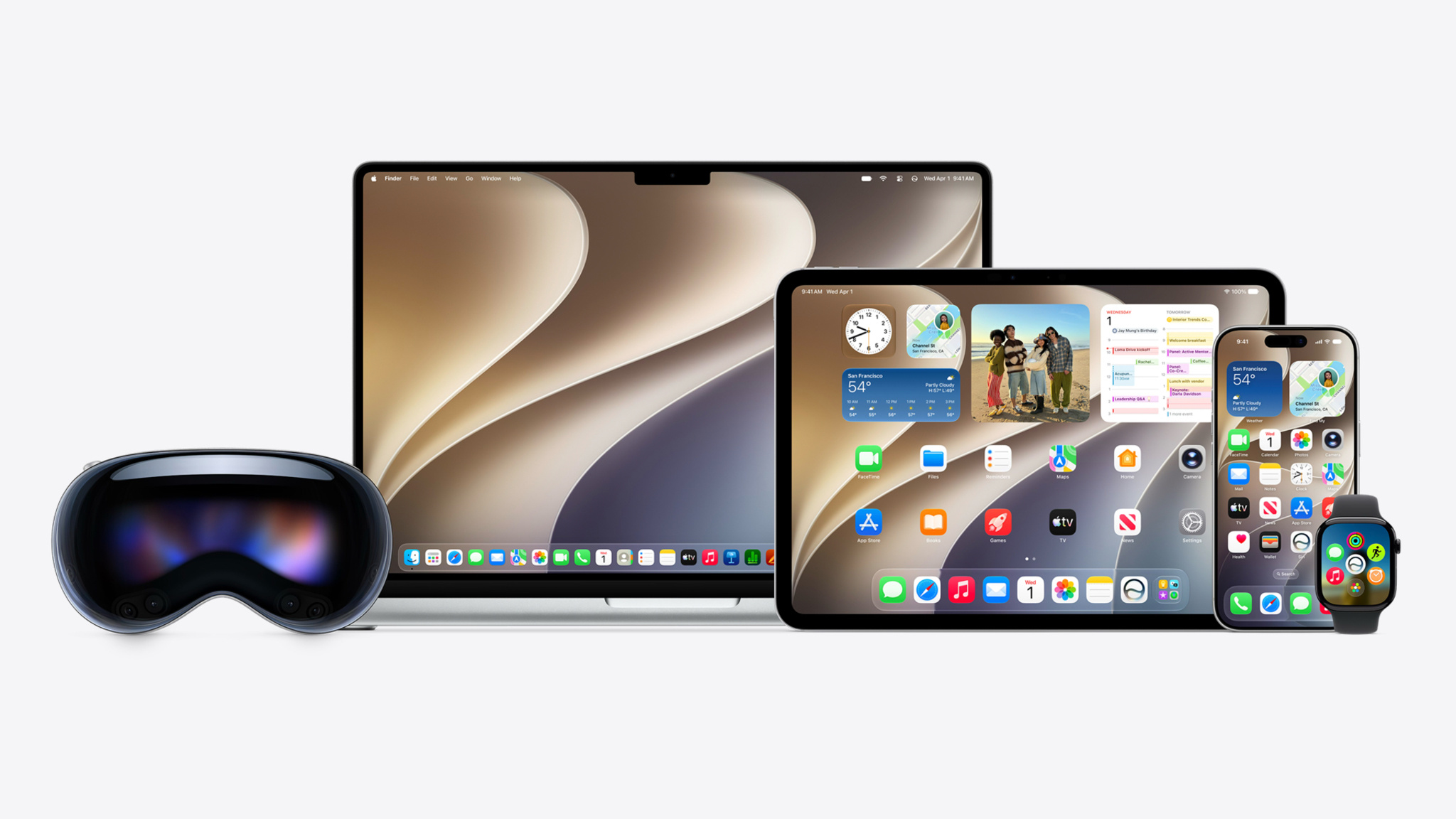
Discover the latest advancements on all Apple platforms and create even more unique, intelligent experiences in your apps and games with major enhancements across languages, frameworks, tools, and services. The latest SDKs bring incredible new features, including platform design refinements, powerful Apple Intelligence capabilities, and new AI development frameworks.
-
Introducing Time Allowances
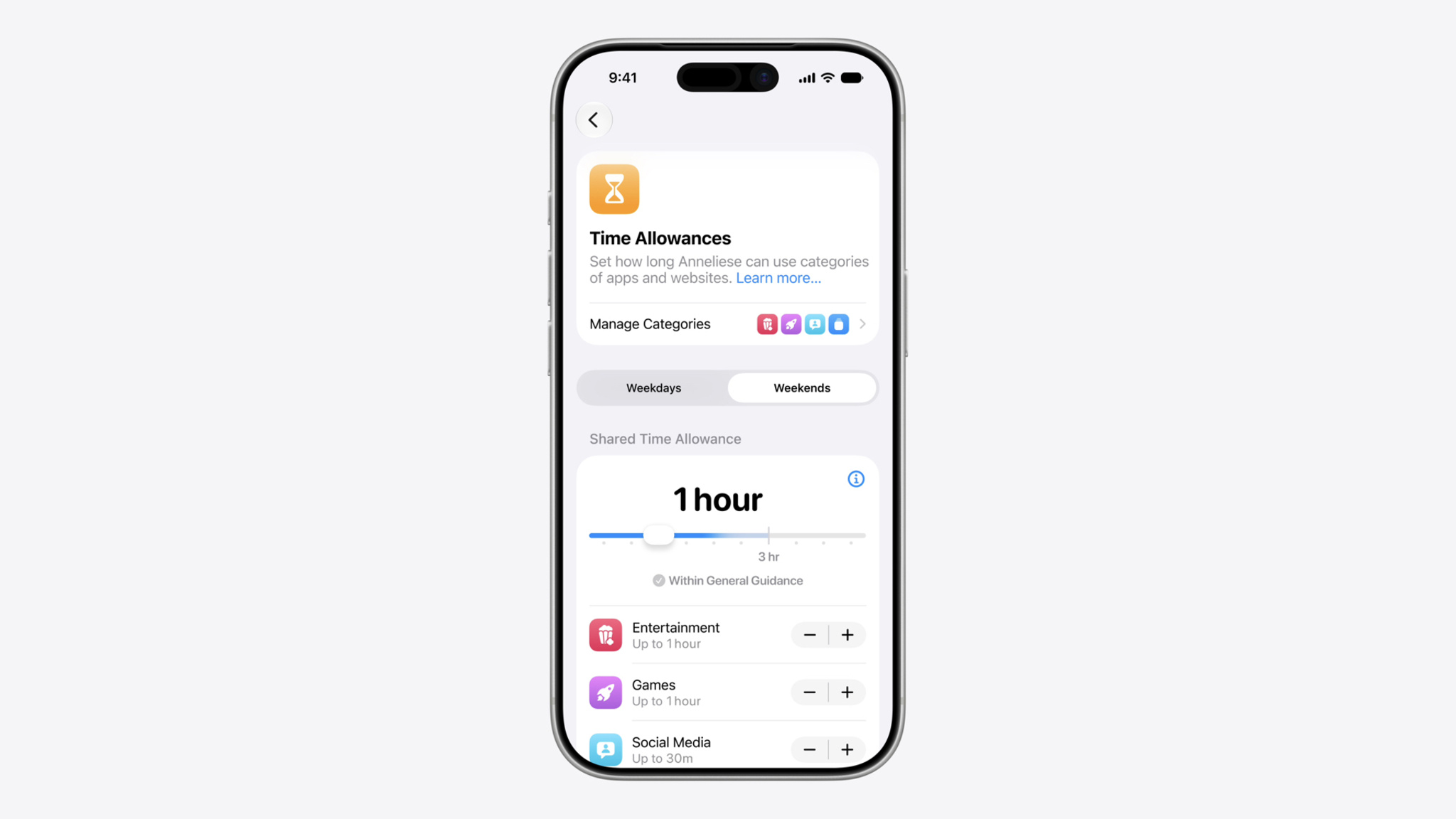
New Time Allowances in iOS 27, iPadOS 27, and macOS 27, or later, give parents more flexible ways to manage the time their kids spend in apps across categories, including Entertainment, Games, and Social Media. Time Allowances are developed based on expert research and tailored to a child’s age to give parents a helpful starting point. Parents can adjust these settings based on what they determine is best for their child. Time Allowance categories are different from categories for user discovery on the App Store.
Entertainment and Games
Your app or game will appear in a Time Allowance category based on the information you provide in App Store Connect. Apps and games with Entertainment or Games selected as a primary or secondary category in App Store Connect will be sorted into the corresponding Time Allowance categories.
Social Media
The Time Allowance category for Social Media will be based on whether your app or game offers social media capabilities, regardless of the category selected in App Store Connect. This includes the ability to redistribute, amplify, or interact with user-generated content through a social feed or similar discovery method that visibly spreads content to many users. Starting July 2026, the age rating questionnaire will be updated to let you indicate whether your app or game includes social media capabilities.
- If you indicate that your app or game includes social media capabilities, it will be placed in the Time Allowance category for Social Media and receive a minimum age rating of 13+.
- If you indicate that your app or game includes social media capabilities but they are disabled for anyone under 13, it won’t be included in the Time Allowance category for Social Media for users under 13. You'll also need to use the Declared Age Range API (at a minimum) to check users’ age ranges. If you select this option, your overall responses in the age rating questionnaire determine your age rating and may result in a rating lower than 13+. Your app or game may still be grouped in the Time Allowance category for Games or Entertainment based on the primary or secondary category selected in App Store Connect, and will remain in the Social Media category for users 13 and above.
Starting September 2026, you’ll be required to indicate whether your app or game includes social media capabilities in order to submit new versions or updates to the App Store, or for notarization for distribution on alternative app marketplaces.
Design safe and age‑appropriate experiences for your apps and games
-
Updated Apple Developer Program License Agreement and App Review Guidelines now available
The Apple Developer Program License Agreement and App Review Guidelines have been revised to support new features, updated policies, and to provide clarification. Please review the changes below and sign in to your account to accept the updated terms.
Apple Developer Program License Agreement
- Sections 3.1, 14.8: Specified requirements for providing information and responding to questions about developer identity, including in the context of export compliance.
- Definitions, Section 3.3.3(N): Clarified requirements for use of the Sensitive Content Analysis framework.
- Definitions, Section 3.3.3(Q): Specified requirements for use of the Suggested Actions API.
- Definitions, Section 3.3.3(R): Specified requirements for use of the Trust Insights framework.
- Section 3.3.4(A): Specified terms regarding end users’ ability to modify content for personal accessibility purposes.
- Definitions, Section 3.3.7(L): Specified requirements for use of the Media Device Extension framework.
- Definitions, Section 3.3.7(M): Specified requirements for use of the Spatial Audio Extension APIs.
- Definitions, Section 3.3.9(E): Specified requirements for use of the Customer Engagement APIs.
- Section 3.2(h): Updated terms for use of and access to Apple models.
- Section 3.3.11: Grouped AI and machine learning technologies under new subsection.
- Section 3.3.11(A): Updated requirements for use of Foundation Models framework.
- Section 6.7: Specified that analytics may additionally be provided via Xcode and/or App Store Connect API.
- Section 7.9: Specified requirements on providing information regarding apps in App Store Connect, and protection of end users who are minors.
- Section 10: Clarified terms regarding indemnification.
- Attachment 2, Section 1.1: Clarified requirements for use of the In-App Purchase API.
- Attachment 5, Section 3.3: Updated privacy requirements for use of Passes.
- Attachment 11, Section 4: Updated the name of identity guidelines for EnergyKit.
App Review Guidelines
- Introduction: revised kid and teen safety guidance.
- 1.2: new paragraph clarifies developer responsibilities for content that violates this guideline.
- 4.3(a): clarifies the basis for the guideline and adds an example.
- 4.3(b): clarifies the basis for the guideline and adds examples.
- 4.5.3: clarifies that Live Activities may not be used to spam, phish, or send unsolicited messages to customers.
Translations of the updated agreement will be available on the Apple Developer website within one month.
-
Update for Apps Distributed in Texas
Due to a recent court ruling lifting an injunction on Texas law SB 2420, new Apple Accounts in Texas are now subject to the law, which introduced age assurance requirements for app marketplaces and developers. As previously announced, this includes age assurance and parent or guardian consent on behalf of minors under the age of 18 for downloads, Apple In-App Purchases, and significant changes associated with an app. Parents or guardians will also be able to revoke their consent for any app they previously approved for their child. These changes will go into effect starting June 4, 2026.
Developers can request age category data for these Apple Accounts through the Declared Age Range API. For significant changes, developers should use the Significant Change API under the PermissionKit framework. As a reminder, it’s the developer’s responsibility to determine when there’s a significant change to their app. To learn about a parent or guardian’s revocation of consent, the App Store is providing a server notification that developers can configure to receive notifications that consent has been withdrawn for their app on a child or teen’s device.
Next steps
- Review documentation and implement the following:
- Declared Age Range API
- Significant Change API under PermissionKit
- New age rating property type in StoreKit
- App Store server notification
- Use Apple’s sandbox testing environment to validate that the APIs have been implemented correctly.
For the most up-to-date requirements and API references, see:
Learn more about how you can provide age-appropriate experiences and safeguard privacy in your apps and games using robust features available across Apple platforms.
-
Apple Developer Centers are expanding to Berlin

Apple Developer Centers are dedicated spaces designed for in-person developer sessions, labs, workshops, and appointments across a wide range of Apple technologies and platforms.
With locations in Cupertino, Shanghai, Bengaluru, and Singapore, these purpose-built facilities bring expert guidance and hands-on learning directly to the developer community. Later this year, Apple will open its fifth Developer Center in Berlin, offering developers throughout Europe even greater access to Apple experts and events.
Created for teams of all sizes and at every stage of app development, the Apple Developer Center Berlin will serve as a home base for in-person sessions, workshops, and one-on-one appointments. Additionally, consultation areas and dedicated labs will offer hands-on support from Apple experts in multiple languages.
-
Introducing the 2026 Apple Design Award winners
-
All systems glow

WWDC26 is just one week away. Get ready for five days of technology, creativity, and community — all online and free.
-
Get ready with the latest beta releases
The beta versions of iOS 26.6, iPadOS 26.6, macOS 26.6, tvOS 26.6, visionOS 26.6, and watchOS 26.6 are now available. Get your apps ready by confirming they work as expected on these releases. And make sure to build and test with Xcode 26.5 to take advantage of the advancements in the latest SDKs.
-
Upcoming changes to age ratings in Australia and Vietnam
Starting June 18, 2026, age ratings on the App Store will be updated in Australia and Vietnam.
Australia
The 15+ age rating will no longer be available on the App Store in Australia. Apps currently rated 15+ with the following content descriptors will be updated to 16+:
- Unrestricted web access
- Frequent medical or treatment information
- Loot boxes
The new rating will appear on your app’s product page in Australia. Please ensure your responses to the age rating questionnaire in App Store Connect accurately reflect your app’s content.
Vietnam
To align with Article 38 of Vietnam Decree 147, apps available on the App Store in Vietnam will require a region-specific age rating. Based on your age rating questionnaire responses in App Store Connect, your app will receive one of four ratings (00+(all ages), 12+, 16+, or 18+) which will appear on its product page in Vietnam. Additional details, including age rating values, will be available in App Store Connect and App Store Connect Help on June 18.
-
Introducing the 2026 Apple Design Award finalists
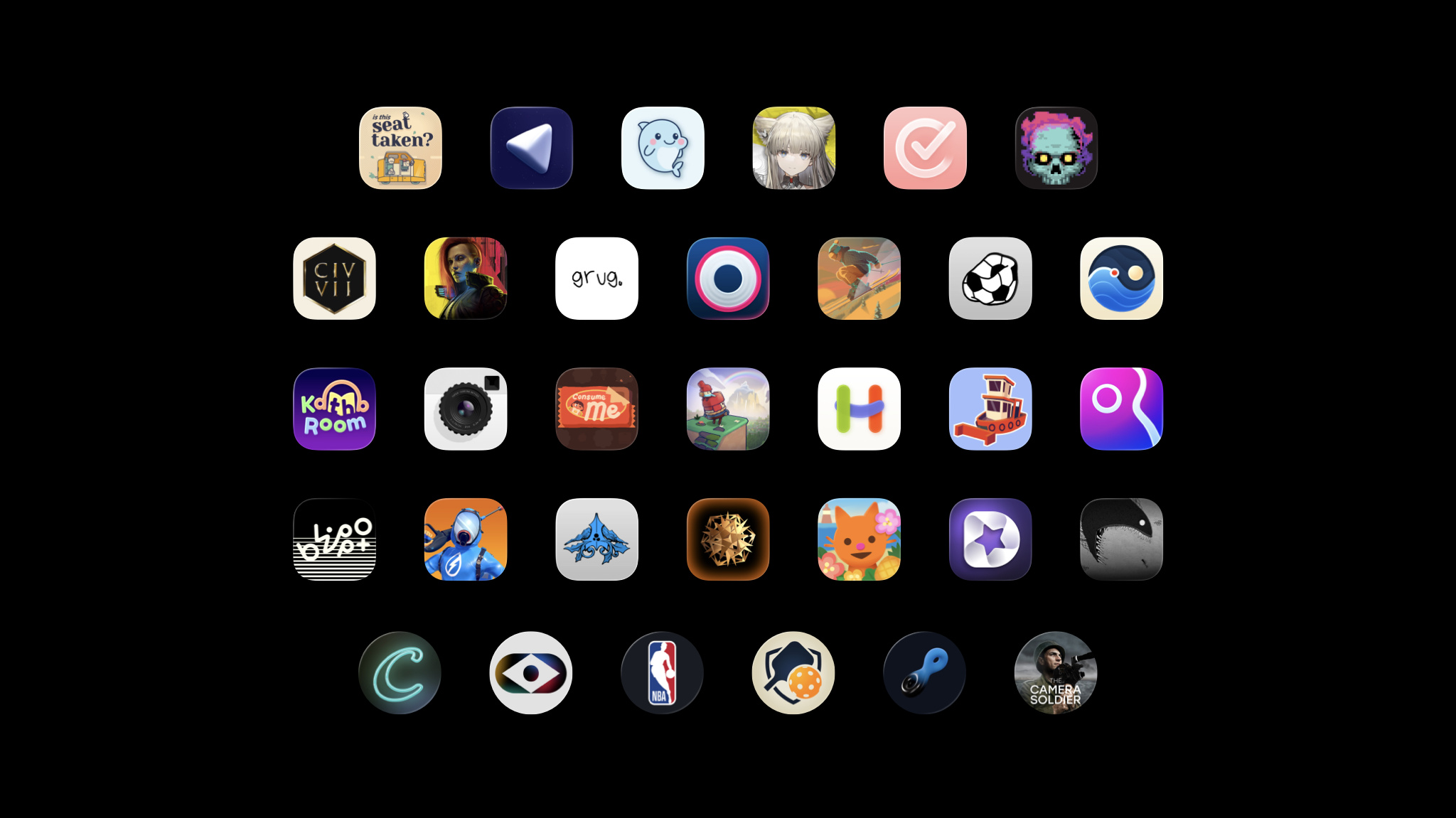
Every year, the Apple Design Awards recognize innovation, ingenuity, and technical achievement in app and game design. But they’ve also become something more: A moment to step back and celebrate the work of Apple developers across the community.
-
Coming bright up

Get ready for a week of technology, creativity, and community — all online and free. Here’s what WWDC26 has in store.
-
Hello Developer: May 2026

In this edition:
- Meet inspiring developers, advocates, and educators.
- Prepare your app for Accessibility Nutrition Labels.
- Meet the team behind the stylish open-world adventure Infinity Nikki.
- Get the most out of your Apple Developer account.
- Update your Intel-based Mac apps to Apple silicon.
-
Get the most out of your Apple Developer account

A free Apple Developer account provides access to the tools, resources, and support you need to build and test apps and games. A free developer account is separate from an Apple Developer Program membership. Even if your organization holds the paid membership, creating your own free account gives you direct access to downloads and support resources.
Don’t have an account?
To create your Apple Developer account, sign in to your Apple Account. If you don’t have an Apple Account, you can create one during Apple Developer account registration.
What you get:
Access beta versions of Xcode and Apple operating systems: Test your apps with upcoming features and API changes before release. Betas allow you to submit feedback and ensure your app works on day one of each new OS release. And you can test your apps directly on your own devices.
With Xcode beta versions, you have access to the complete toolchain to explore new SDKs, test enhanced APIs, and debug compatibility issues using the latest development tools and simulators.
Learn more about Apple beta testing software >
Meet with Apple: Attend developer events that take place in person and online all year long. Events range from design workshops on UI/UX best practices to technical deep dives on frameworks and business sessions about App Store optimization.
Sign up for developer activities >
Apple Developer Forums: Join the forums to ask questions and share knowledge with developers worldwide. The forums cover specific frameworks and technologies, serving as a space to troubleshoot issues and share code samples.
Help shape the platform: Report bugs and submit feature requests with Feedback Assistant. File detailed reports with sample code, crash logs, and reproduction steps. Request new APIs or suggest enhancements. Some of the tools you use today started as developer feedback.
Looking for more?
An Apple Developer Program membership unlocks all the resources and support you need to build, test, share, and distribute apps and games.
- Integrate Apple services: Configure your app with powerful features like the Foundation Models framework, CloudKit, MusicKit, and Apple Pay.
- Beta test at scale: Use TestFlight to distribute beta builds to up to 10,000 external testers before your public release.
- Unlock exclusive opportunities: Access more in-person Meet with Apple events and WWDC activities, including one-on-one appointments with Apple experts.
- Distribute worldwide: Publish your apps and games on the App Store and grow your business. Easily share with people in 175 countries and regions and 50 languages.
- Offer content and services for purchase: Help make purchases effortless in your app or game using Apple In-App Purchase, with secure authentication, and over 200 payment methods supported globally.
Keep in mind:
As always, you can explore Apple Developer videos, documentation, tutorials, sample code, API references, and the Human Interface Guidelines without an Apple Developer account.
-
Brazilian betting license requirement for App Store availability
Following changes to Brazil’s fixed-odds betting regulation, apps with fixed-odds betting (gambling) features can now be distributed on the App Store in Brazil with a valid fixed-odds betting license from the Secretariat of Prizes and Bets (SPA). If any of your apps include these features (indicated by selecting “Yes” to the gambling question in the age rating questionnaire in App Store Connect), you’ll need to provide this license. Keep in mind that answering “Yes” to the gambling question in the age rating questionnaire will set your Brazil age rating to A18.
A new app version must be submitted to initiate the license verification process. Updating the App Review Information section in App Store Connect alone won’t start a review. When submitting a new version of your app for review:
- Include your license information in the App Review Information section in App Store Connect.
- Enter your license details in the Notes field.
- Attach any supporting documents using the file attachment field.
Please ensure that your app complies with all disclosures and warnings requirements, including but not limited to age restrictions and gambling risks, as required under the law. For questions regarding your legal obligations, please contact your legal counsel.
-
To those who build community

All around the world, Apple developers do meaningful work that extends beyond great apps and games. They organize events, write tutorials, mentor others, and create spaces to learn and grow. By sharing their expertise and championing each other, they represent the best of the community.
Meet some of the inspiring people who are making a difference in the Apple developer community through technical contributions, thoughtful mentorship, and a commitment to helping others succeed.
-
Now Available: Monthly Subscriptions with a 12-Month Commitment
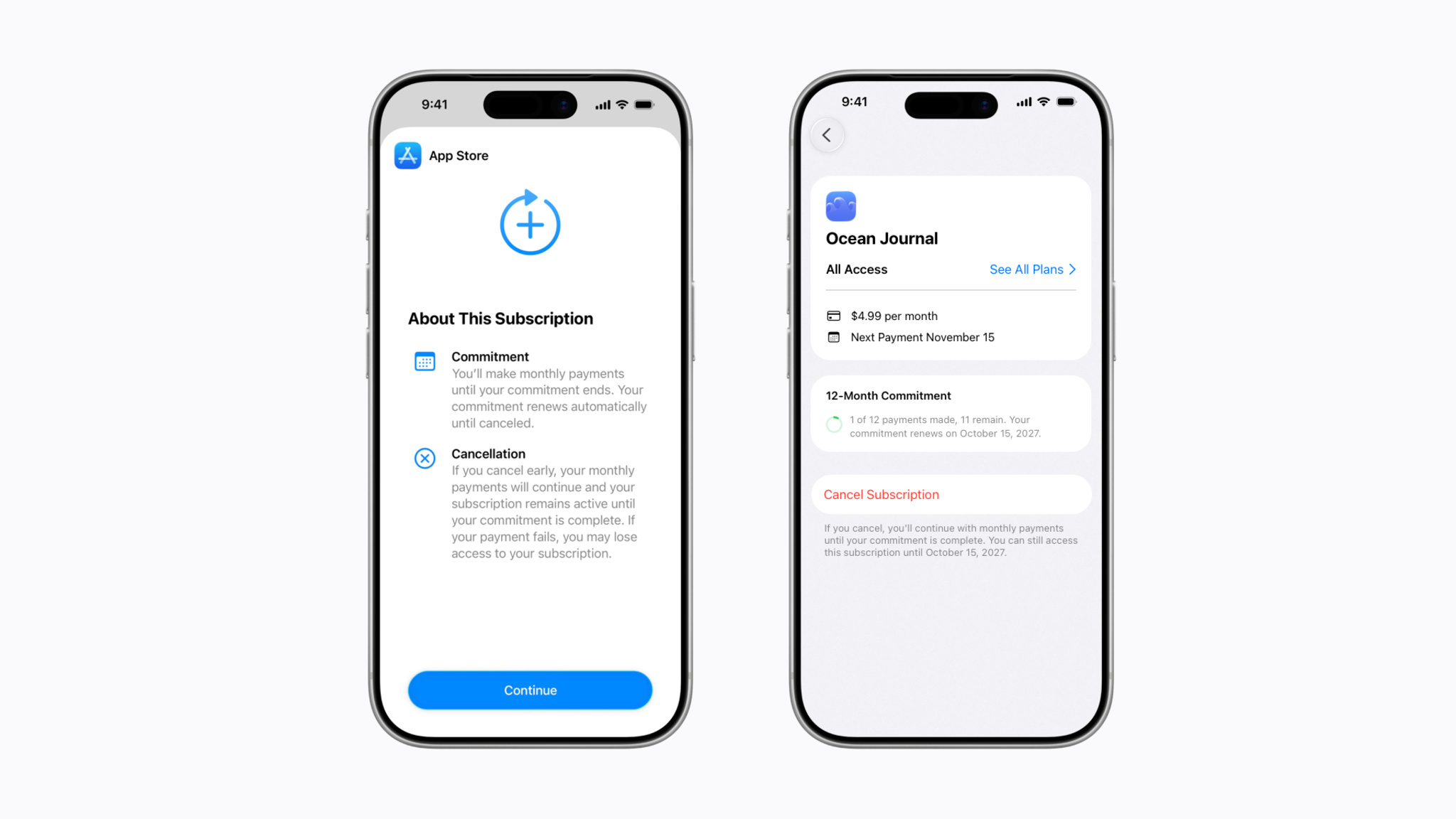
Today, we’re introducing a new way that people can pay for your auto-renewable subscriptions on the App Store: monthly subscriptions with a 12-month commitment. This new payment option allows you to offer subscribers more affordable options. People can cancel their subscription at any time, which will prevent the subscription from renewing after they’ve completed their agreed-to payments to fulfill their commitment.
To provide transparency, people can easily view the number of completed and remaining payments for the subscription in their Apple Account. Apple will also send email and, if opted in, push notifications ahead of their renewal date to remind them of their upcoming purchase.
You can now configure this type of subscription in App Store Connect and test it in Xcode. With the exception of the United States and Singapore, monthly subscriptions with a 12-month commitment will be available worldwide to people on iOS 26.4, iPadOS 26.4, macOS Tahoe 26.4, tvOS 26.4, and visionOS 26.4, or later, with the release of iOS 26.5, iPadOS 26.5, macOS Tahoe 26.5, tvOS 26.5, and visionOS 26.5 in May.
-
Lykke Studios: In pursuit of puffy perfection
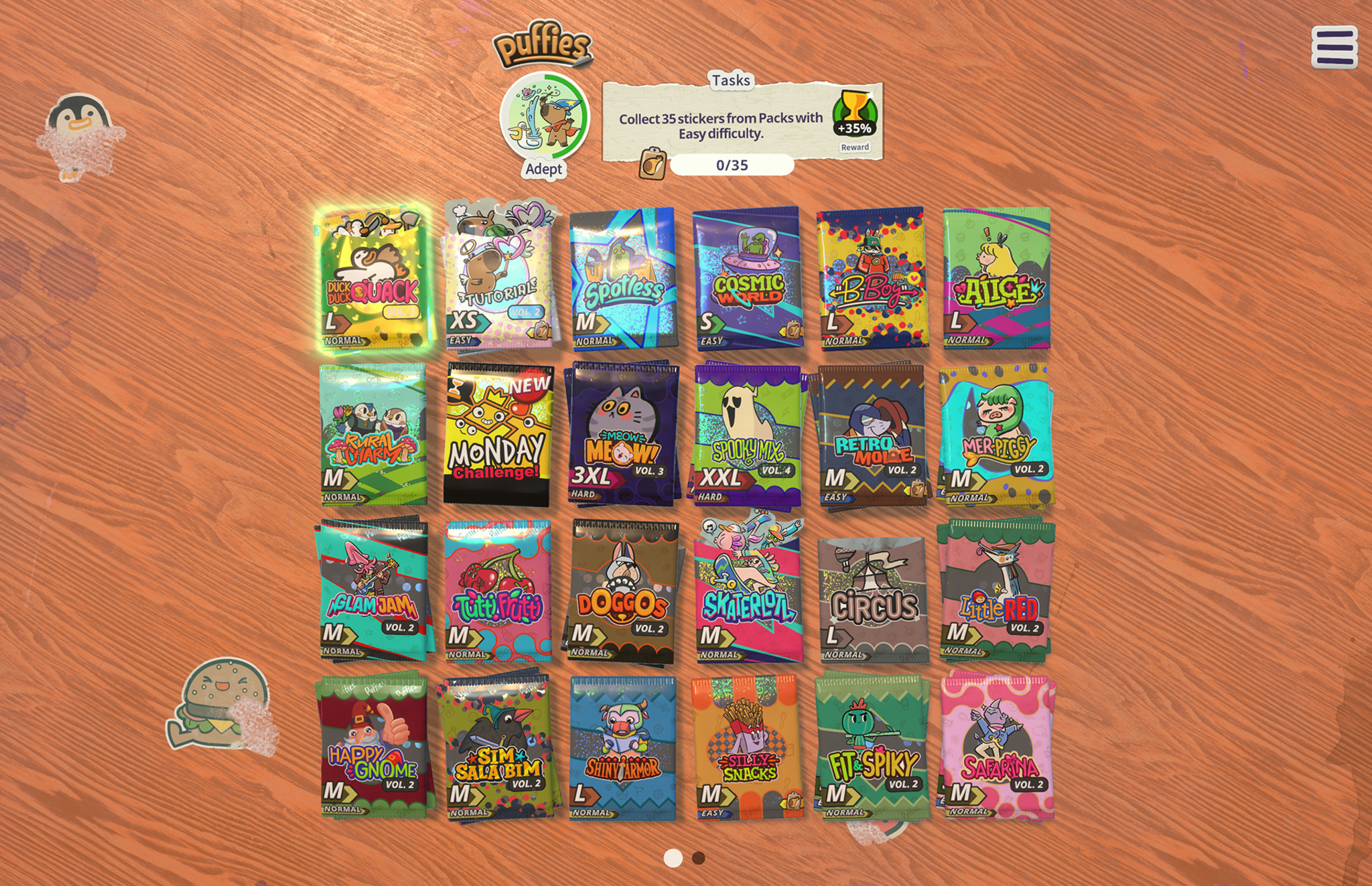
The delightful game puffies. combines the satisfying snap of a jigsaw puzzle with the nostalgic delight of a sticker book.
This 2025 Apple Design Award finalist for Inclusivity is brimming with virtual puffy stickers, the sort that ’80s kids would slap on their binders or trade at recess. Players tear open themed packs of vibrant, kitschy decals — maybe punk-rock capybaras, maybe sporty sushi rolls — and place them on a blank sheet so everything fits without overlapping.
The stickers are rendered with such accuracy that players can almost feel the slight give of their glossy surfaces under their fingertips — and the gentle haptic “blop” that accompanies each placement is supremely satisfying. Those sensations are no accident: puffies. developer Lykke Studios spent months fine-tuning these small moments.
puffies.
- Available on: iPhone, iPad, Mac, Apple TV
- Team size: 8
- Based in: Thailand and Cyprus
Download puffies. from Apple Arcade >
“We always start with a material that we like,” says Lykke Studios founder Jakob Lykkegaard. For the company‘s 2023 Apple Design Award winner, stitch., that material was thread woven into whimsical embroidery puzzles. For their 2022 Apple Design Award finalist, tint., it was watercolor paint on thick, textured paper.
When the team began brainstorming the project that would become puffies., they set their sights on a jigsaw-style experience that would feel natural on touchscreens. Their eureka moment was landing on puffy stickers as the puzzle pieces; they’re tactile, nostalgic, and far more interesting to look at than a lone jigsaw piece.
And then it all blew up. “Because of the game physics, our first prototypes pretty much exploded,” laughs Lykkegaard.
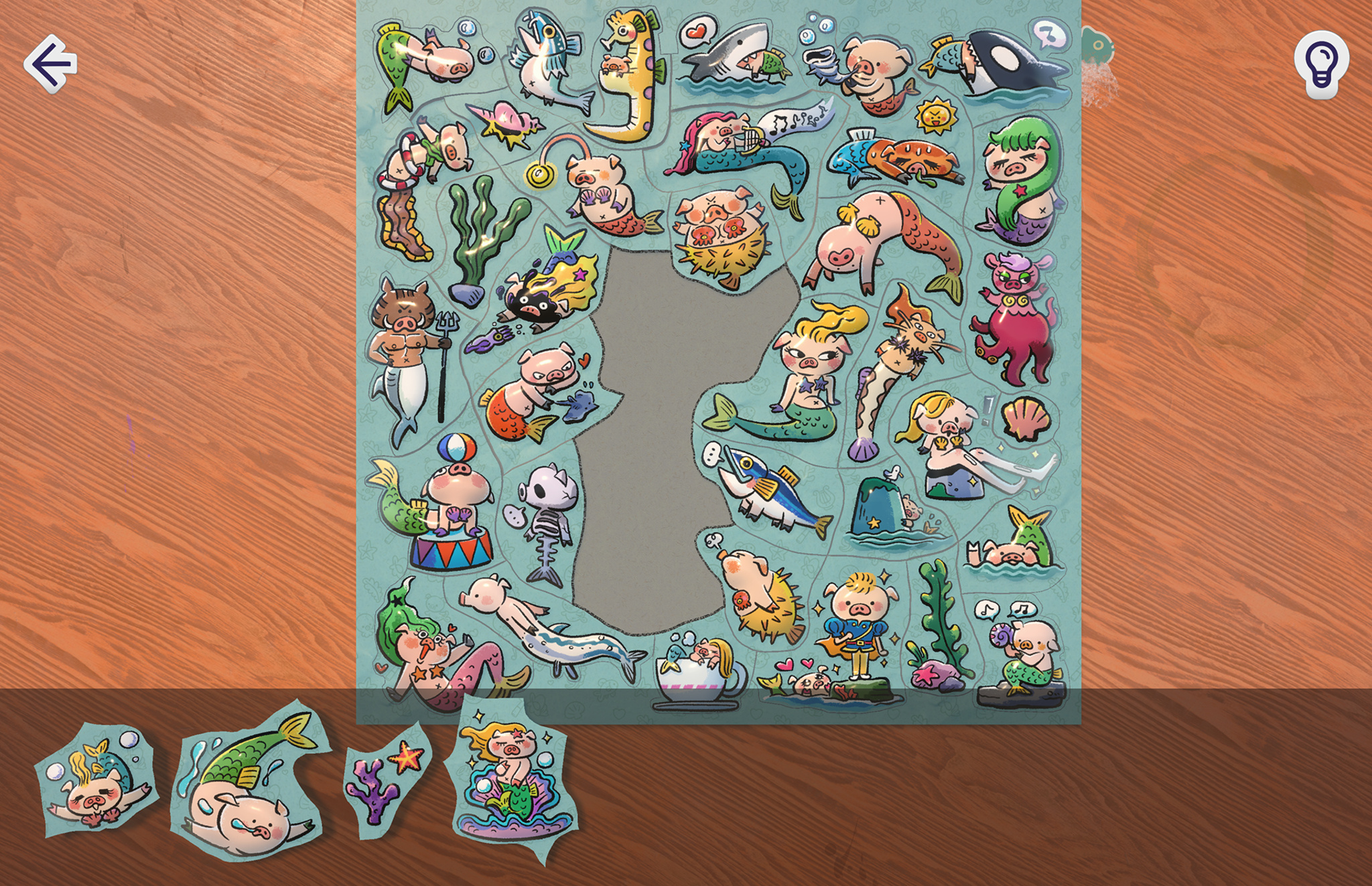
Every one of the game’s 4,000 stickers is a 3D-modeled object that’s beholden to the game’s physics engine — and early tests proved they did not play well together. Once the team figured out how to stop pieces from ricocheting around the virtual tabletop, they turned to the problem of what should happen when a player tries to place one sticker on top of another. Is that something that comes up a lot during play? Not really. Did they spend months perfecting it anyway? Absolutely.
Lykkegaard recalls discussing the optimal outcome of this sticker-on-sticker scenario with the team. “Does it stick where it’s at? Does it slide down? And if it slides down, in what direction, and at what speed?” he says. They ultimately decided to simply have the sticker zip back to the edge of the puzzle where it came from, but “it’s not inaccurate to say we spent three months on this,” says Lykkegaard. “We scrapped the entire code base and started over again until it felt right.”
That pursuit of perfection is threaded throughout the game’s design. The cutouts around each sticker were drawn by hand because automated tracing looked too sterile. Tilting a device causes a subtle parallax effect on a sticker’s vinyl surface, as though it were catching the light in the room. And the team iterated endlessly on snap distances — how close a piece needs to be to its proper spot before it will gently click into place when released — down to the last pixel.
“Players can feel it subconsciously,” says Tanin-Andre Hohmann, producer at Lykke Studios. “They may not know it, but they say, ‘Oh, I like this more.’ And then if you ask why, they’re like, ‘I don’t know, really. It just fits better.’”

That best-it-can-possibly-be philosophy also extends to the game’s art. From cute cactus creatures to anthropomorphic toilet plungers, puffies. stickers are brought to life by talented illustrators around the world. “It’s literally the artist’s art,” says Hohmann. “We wanted it as unfiltered as possible.”
The game also benefits from its home country. While the Denmark-born Lykkegaard and many of his teammates hail from Europe, Lykke Studios is based in Phuket, Thailand — far from stuffy boardrooms and packed conference halls, close to a slower pace of life and easygoing creativity. “I tend to like coming into the bubble of the Bay Area or Europe, exploring things, and leaving that bubble again,“ says Lykkegaard. “And then having an unlimited amount of time to think and come up with new ideas.”
That unhurried mindset can be felt in the puzzles themselves. Each sticker-sheet level is painstakingly designed by hand — no algorithms, no automation. Timers and “game over“ screens aren’t a thing in puffies.; difficulty comes entirely from how many stickers are in the pack the player chooses. And to ensure larger puzzles don't overwhelm players on smaller devices, the camera gently zooms in to frame the area where the current handful of stickers belongs.
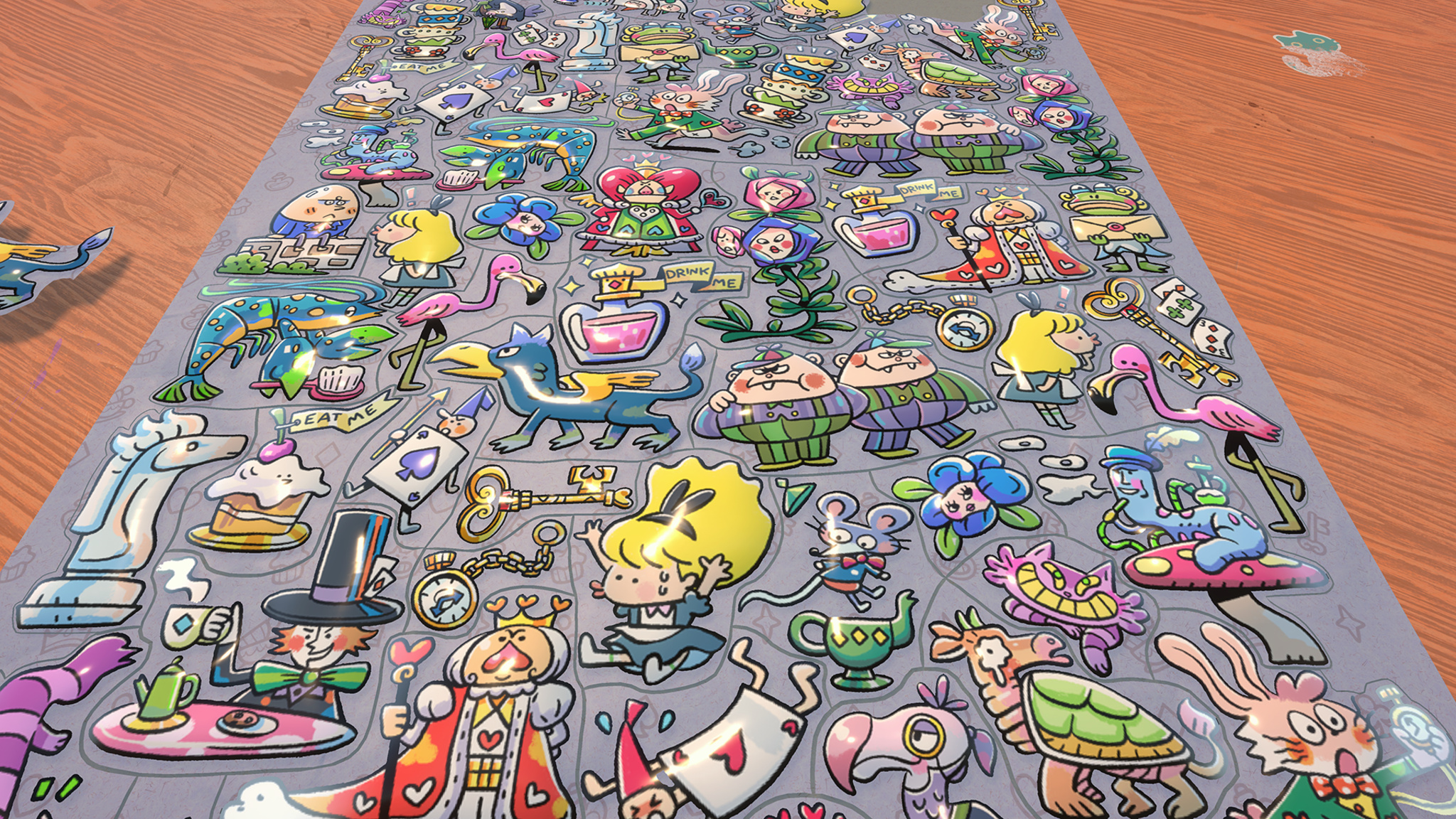
Accessibility follows the same no-compromises logic. Players can enable more generous snap distances, toggle sticker-placement outlines, and use a finger-offset option that accommodates reduced motor function — or just very large hands. The guiding principle is simple: If a player comes up with a valid barrier the team hadn’t considered, and it’s feasible to fix, the team adds a solution.
The cost of all this craft? Time. Thankfully, the team’s previous successes have given them the freedom to polish their games without rigid milestones. But even so, is it worth it? To obsess over squish and snap, to tune the “rip” of opening a sticker pack, to jettison heaps of code because a few interactions don’t feel perfect?
“There are many things in the game that nobody will ever see, that we put energy into just because we know it’s there,” says Lykkegaard. “And that makes us proud.”
Keep reading
Developer stories explore best practices and philosophies from some of the most inventive developers in the Apple community. In each story, we go behind the screens with developers, designers, and engineers to find out how they brought their remarkable creations to life.
-
Hello Developer: April 2026

In this edition:
- Join us on bilibili and LinkedIn.
- Catch up on essential sessions before WWDC26.
- Build a travel app with sample code.
- Browse the latest edition of our new design gallery.
- Learn about the biggest-ever update to Analytics in App Store Connect.